
Cyberlytics service guide
A Drupal website should help customers complete meaningful tasks and give staff a dependable way to maintain accurate information. This guide follows the complete workflow from discovery and structured content through accessible development, integrations, migration, launch and ongoing care. Use the business decisions to scope the project, then work through the technical checklists with the people responsible for delivery.
By Johnathon Nguyen, Founder & CEO. .
0 of 48 steps complete
Checklist progress stays in this browser.
Complete checklist
Chapter 1: Discovery and project requirements
- 1. Define the customer taskRead instructions
- 2. Inventory service lines and organizationsRead instructions
- 3. Establish a reliable baselineRead instructions
- 4. Agree the information architectureRead instructions
- 5. Write the conversion and inquiry briefRead instructions
- 6. Define integration boundariesRead instructions
- 7. Set acceptance and governanceRead instructions
- 8. Prioritize delivery and ongoing careRead instructions
Chapter 2: Content architecture and editorial governance
- 1. Model repeated information as structured contentRead instructions
- 2. Define taxonomies and relationshipsRead instructions
- 3. Design the authoring experienceRead instructions
- 4. Set roles using least privilegeRead instructions
- 5. Establish draft, review and publishing workflowRead instructions
- 6. Plan media and document managementRead instructions
- 7. Plan multilingual and multi-location contentRead instructions
- 8. Document the editorial operating modelRead instructions
Chapter 3: Drupal security and platform foundations
- 1. Select a supported platform baselineRead instructions
- 2. Separate development, staging and productionRead instructions
- 3. Protect administration and privileged accessRead instructions
- 4. Secure transport, inputs and integration credentialsRead instructions
- 5. Design caching around access and freshnessRead instructions
- 6. Build backups around recovery needsRead instructions
- 7. Set reliability and incident proceduresRead instructions
- 8. Record residual risk and operational boundariesRead instructions
Chapter 4: Accessible design and development
- 1. Wireframe the primary journeyRead instructions
- 2. Define reusable accessible componentsRead instructions
- 3. Build responsive layouts with real constraintsRead instructions
- 4. Implement accessible forms and feedbackRead instructions
- 5. Set media and performance budgetsRead instructions
- 6. Build search-ready page templatesRead instructions
- 7. Test access and interaction statesRead instructions
- 8. Validate the design with the editor workflowRead instructions
Chapter 5: Integrations and content migration
- 1. Map integration fields and responsibilitiesRead instructions
- 2. Design dependable inquiry deliveryRead instructions
- 3. Instrument customer outcomes carefullyRead instructions
- 4. Audit existing content before migrationRead instructions
- 5. Build and rehearse a repeatable migrationRead instructions
- 6. Prepare URL continuity and redirectsRead instructions
- 7. Reconcile cutover data and dependenciesRead instructions
- 8. Verify migration and integration acceptanceRead instructions
Chapter 6: Testing, launch and ongoing maintenance
- 1. Run the complete acceptance matrixRead instructions
- 2. Verify public search and sharing outputRead instructions
- 3. Confirm recovery and operational readinessRead instructions
- 4. Execute the controlled cutoverRead instructions
- 5. Train each operating roleRead instructions
- 6. Review the post-launch evidenceRead instructions
- 7. Operate the maintenance cadenceRead instructions
- 8. Maintain the improvement roadmapRead instructions
What you will learn
- Turn service and customer requirements into a written, testable project scope.
- Model reusable content, roles and editorial workflow in Drupal.
- Plan a secure, accessible platform with reliable integrations and recovery.
- Rehearse migration and launch with evidence rather than assumptions.
- Hand over a maintainable publishing and operational process.
Before you start
- A named business owner, content owner and technical contact.
- An inventory of existing services, pages, systems and relevant constraints.
- Read-only baseline evidence and approved test environments.
- An agreed route for decisions, scope changes and final acceptance.
Chapter 1
Discovery and project requirements
A useful Drupal project begins with the work the organization needs the website to support. Discovery turns a vague redesign request into an agreed customer journey, measurable acceptance criteria and an implementable scope. Capture decisions in a short project brief before selecting layouts or integrations.
Preparation
- Invite the business owner, a person who handles inquiries, an editor and the technical owner. Larger programs also need security, accessibility, procurement and system-integration representatives.
- Collect existing analytics, representative inquiries, service information and known operational problems. Remove personal data from examples shared for planning.
Tools and working materials
- A shared discovery brief and decision log
- A service inventory, journey map and prioritized backlog
- Read-only analytics and current platform documentation
1. Define the customer task
Why this matters: A site can look modern while still failing its main job. A clear customer task gives design, content and engineering a common decision rule.
Procedure
- Write the primary action in ordinary language: request a consultation, find eligibility information, book an approved service or complete a public-service application. Identify the audience and the information they need before that action.
- Map the route from a likely entry page through service details and proof to the action. Include the confirmation and the internal person responsible for responding.
Acceptance checks
- The team can explain the main journey in one sentence.
- Every stage has a named owner and a clear next action.
2. Inventory service lines and organizations
Why this matters: Reusable architecture depends on understanding the organization rather than treating every page as an unrelated document.
Procedure
- List the services, locations, departments, brands and audience segments the site must represent. Note where the same service differs by location and where information should have one authoritative source.
- Identify the first launch scope and future requirements separately. Record complex commerce, gated resources, document libraries or multilingual needs when they are actually required.
Acceptance checks
- The inventory distinguishes shared content from local or department-specific content.
- Deferred features are recorded with their trigger for inclusion.
3. Establish a reliable baseline
Why this matters: A baseline helps show whether the new platform improved customer tasks and publishing work; page views alone rarely answer either question.
Procedure
- Review the available traffic, inquiry completion, form-error and search data. Document missing measurements and the effect of consent or blocked tracking on the sample.
- Ask editors to perform a normal service-page update and note the time, permissions and bottlenecks. Capture a few representative mobile and desktop journeys as evidence.
Acceptance checks
- Baseline measurements include their date range and limitations.
- At least one customer task and one editor task have observable success criteria.
4. Agree the information architecture
Why this matters: Navigation and page hierarchy should make meaningful services easy to find and give editors a stable place for new material.
Procedure
- Draft a sitemap and page inventory organized around customer needs. Distinguish navigation labels from search-focused page titles; avoid creating duplicate pages for minor keyword variations.
- Choose the core templates and content relationships needed at launch. Compare the proposed scope with the selected audience and package tier, including page and integration limits.
Acceptance checks
- Priority services are reachable through a sensible navigation path.
- The approved inventory identifies every launch template and the content owner.
5. Write the conversion and inquiry brief
Why this matters: A contact form is only one part of the inquiry process. Routing, acknowledgement and staff response determine whether an inquiry becomes useful work.
Procedure
- Specify the minimum fields needed to route and answer an inquiry. Define destinations, response ownership, business-hour handling and any backup owner.
- Plan the confirmation message and measurement event. Include spam controls, validation, accessibility and the behavior when an integration fails.
Acceptance checks
- The brief explains where a successful submission goes and who acts on it.
- Failure handling and confirmation are part of acceptance criteria.
6. Define integration boundaries
Why this matters: CRM, analytics, booking, payments and identity integrations can change scope substantially. Each needs a clear contract and an accountable owner.
Procedure
- List systems, data fields, directions of exchange, supported authentication and available test environments. Separate an existing supported connector from a custom integration.
- Record who supplies access, who maintains each external system and what happens when data is rejected. Confirm the package integration allowance and the written proposal before promising additional connections.
Acceptance checks
- Each integration has documented input, output, owner and test access.
- Dependencies and exclusions appear in the project scope.
7. Set acceptance and governance
Why this matters: An agreed decision process prevents a platform project from accumulating unreviewed requirements and subjective launch conditions.
Procedure
- Define acceptance for customer tasks, content, accessibility, performance, security, migration and training. Use testable statements rather than broad claims such as fully optimized.
- Name reviewers and a final approver. For enterprise and government work, include change-control, records, procurement, audit evidence and any contractual service levels.
Acceptance checks
- Every acceptance requirement has a reviewer and evidence method.
- The change-request and launch approval paths are documented.
8. Prioritize delivery and ongoing care
Why this matters: A successful first release should leave a maintainable platform and a realistic improvement backlog.
Procedure
- Order the backlog by customer value, dependency and risk. Separate launch-critical work from experiments and longer-term roadmap items.
- Agree who owns hosting, updates, monitoring, backup restoration and content after launch. Confirm the selected support window and ongoing care terms on the current service page and proposal.
Acceptance checks
- The delivery plan identifies milestones and dependencies.
- Maintenance responsibilities and response expectations have named owners.
Advanced variations
- For multi-brand, multi-department or regional platforms, distinguish content ownership from technical administration and define which components can vary locally.
- For public-sector projects, treat accessibility evidence, records requirements and approval chains as architecture inputs. Do not infer that using Drupal alone satisfies a procurement or compliance requirement.
- Use a decision log to preserve why a feature was included, deferred or rejected. It is more useful at handoff than a list of meetings.
Troubleshooting
- Stakeholders keep adding pages after design begins.
Likely cause: The service inventory and change process were not agreed.
Action: Return to the approved customer journeys and content model. Assess each request for reusable content, owner, effort and launch impact, then update the backlog through the agreed decision process.
- The team cannot agree whether the project succeeded.
Likely cause: Goals describe aesthetics without observable customer or editorial outcomes.
Action: Select representative tasks, establish their baseline and define acceptance evidence before approving the next implementation milestone.
Chapter 2
Content architecture and editorial governance
Drupal works best when the content model captures information that the organization will reuse. Plan fields, relationships, permissions and publishing workflow together. Editors should be able to maintain approved information without rebuilding page layouts or gaining broad administrative access.
Preparation
- Complete the service and page inventory. Bring representative service, location, team, case-study and document content.
- Identify authors, approvers, translators and technical administrators, including how staff turnover changes access.
Tools and working materials
- Content model diagram and field dictionary
- Drupal content types, taxonomy and entity references
- Role/permission matrix and editorial workflow
1. Model repeated information as structured content
Why this matters: Copying a service description into several pages makes later corrections difficult and encourages inconsistent claims.
Procedure
- Identify reusable entities such as services, team members, locations, case studies and resources. Define the fields required to describe each entity accurately.
- Use references where one entity should point to another. Keep genuinely local information local while sharing the authoritative service information.
Acceptance checks
- Editors can update shared information at its source.
- Each field has a clear purpose and owner.
2. Define taxonomies and relationships
Why this matters: Categories are useful only when they support navigation, related content, filtering or editorial work.
Procedure
- Create a controlled vocabulary for the relationships the site needs. Decide who can create new terms, which terms are public and how retired terms are handled.
- Test representative service-to-location and article-to-service relationships. Avoid requiring editors to guess between nearly identical category labels.
Acceptance checks
- Representative content appears in the intended listings.
- Term ownership and retirement rules are documented.
3. Design the authoring experience
Why this matters: Editor-friendly forms reduce content errors and the time required for a routine update.
Procedure
- Order required fields around the editor task, add concise help text and set meaningful validation. Use reusable component patterns for approved cards, FAQs and calls to action.
- Have an editor create a service page using realistic content. Note confusing labels, unnecessary choices, long text and image requirements, then refine the form.
Acceptance checks
- An editor can complete the normal task with appropriate permissions.
- Validation explains how to correct missing or invalid information.
4. Set roles using least privilege
Why this matters: Content authors should not need permission to change site configuration, install extensions or manage other users.
Procedure
- Create a role matrix covering author, reviewer, publisher and administrator tasks. Grant only the permissions each role requires and review access to restricted content separately.
- Test with actual role accounts in the test environment. Include file access, revision access, menus, media selection and any commerce or identity-specific permissions.
Acceptance checks
- Each role can perform its required tasks and is denied unrelated administrative actions.
- Restricted documents and account-specific data are tested independently of page visibility.
5. Establish draft, review and publishing workflow
Why this matters: A workflow provides a reliable point to check accuracy, accessibility and approval before information becomes public.
Procedure
- Choose appropriate states and transitions, and name who can approve each transition. Define emergency publishing and correction procedures when required.
- Verify preview, revision comparison and rollback behavior with a representative page. Include translations and scheduled publishing when they are part of scope.
Acceptance checks
- An unapproved draft stays outside public listings and search.
- The team can identify and restore a prior approved revision.
6. Plan media and document management
Why this matters: Uploads need clear naming, rights, alternative text and access rules; a media library is not a substitute for those decisions.
Procedure
- Define image crops, responsive derivatives and meaningful alternative text guidance. Record licensing and who can replace a shared asset.
- Classify documents as public or restricted and confirm delivery access. For public-sector libraries, plan accessible document formats, version ownership and retirement or retention requirements.
Acceptance checks
- A shared image works at mobile and desktop sizes without losing its important subject.
- Restricted files cannot be retrieved through a public upload URL.
7. Plan multilingual and multi-location content
Why this matters: Translations and local variations require explicit ownership to avoid publishing stale or contradictory information.
Procedure
- Define which fields translate, which information is shared and which locations or departments can override it. Establish fallback behavior and the approval process for each language.
- Test URLs, language navigation, metadata and a content update that affects more than one location. Use a shared model rather than duplicating a complete site for every minor variation.
Acceptance checks
- The intended language and local information appear consistently.
- A shared update reaches the relevant pages without overwriting approved local differences.
8. Document the editorial operating model
Why this matters: Ownership is as important as field configuration when the site grows or staff change.
Procedure
- Create an editor handbook with normal publishing, image, link, FAQ and correction workflows. Assign a review interval to high-impact service and eligibility information.
- Record ownership transfer and access-removal procedures. Train authors and approvers using representative tasks, with recorded examples if included in the package.
Acceptance checks
- The handbook names owners and review triggers.
- A new editor can follow a real task without broad administrator access.
Advanced variations
- For commerce or gated resources, model access and lifecycle requirements explicitly. Keep private customer content outside shared public cache variants.
- At larger scale, use reusable design-system components and governance rather than unrestricted layout choices on every page.
- Content velocity can be measured through the time from an approved request to accurate publication. Track bottlenecks without turning the metric into pressure to skip review.
Troubleshooting
- Editors repeatedly duplicate service text.
Likely cause: The model uses page copy where an entity reference or shared field is needed.
Action: Identify the authoritative information, introduce the reusable entity or reference, then migrate duplicates with a review of any legitimate local variations.
- A reviewer can edit content but cannot approve it.
Likely cause: Role permissions and workflow transitions were configured separately.
Action: Test the exact transition with the reviewer role, adjust only the required permission and recheck that the role still cannot administer unrelated content.
Chapter 3
Drupal security and platform foundations
A production Drupal platform needs a maintained software baseline, protected administration, correct environment boundaries and recovery that has been tested. Hosting choices should fit the actual traffic and integration requirements. Security and reliability are ongoing practices rather than settings applied once at launch.

Preparation
- Identify the supported Drupal/PHP versions, extension ownership, hosting access and responsible technical staff.
- Create staging access and agree backup, recovery, monitoring and incident responsibilities.
Tools and working materials
- Composer and a reviewed deployment workflow
- Environment-specific configuration and secret storage
- Backup/restore runbook, access inventory and monitoring
1. Select a supported platform baseline
Why this matters: Unsupported core or extensions make future maintenance harder and can prevent timely security updates.
Procedure
- Confirm current Drupal, PHP and extension compatibility from official release information. Review the maintenance status of proposed contributed modules and use custom code only where the requirement warrants it.
- Record supported versions and how updates will be assessed and tested. Keep core, contributed software and vendor packages managed through Composer rather than ad hoc production edits.
Acceptance checks
- The platform and required extensions have a documented support path.
- The team can reproduce the dependency state from versioned manifests.
2. Separate development, staging and production
Why this matters: Uncontrolled environment differences can turn a successful test into a failed production release.
Procedure
- Document code, configuration, content and infrastructure responsibilities. Give staging realistic test content with sensitive production data removed or appropriately protected.
- Keep environment-specific settings and secrets outside public files and source control. Disable or capture outbound notifications during testing so presentation checks do not contact real clients.
Acceptance checks
- The team knows which changes require code deployment, configuration import or content migration.
- Test operations cannot send real production notifications unexpectedly.
3. Protect administration and privileged access
Why this matters: Administrative access affects the entire platform and should be deliberately limited and reviewed.
Procedure
- Use individual accounts, suitable multifactor authentication and least-privilege access. Review privileged Drupal, hosting, DNS, repository and integration accounts together.
- Define account removal and emergency-access procedures. Verify login protection, recovery and rate limiting without locking out legitimate operational access.
Acceptance checks
- Privileged access has named owners and a review cadence.
- A departing user can be removed across the relevant systems.
4. Secure transport, inputs and integration credentials
Why this matters: Forms, APIs and administrative surfaces need protection that matches their actual data and exposure.
Procedure
- Validate HTTPS certificates and redirects, input validation, anti-spam controls, CSRF protection and safe output handling. Use Drupal APIs for access, forms, files and entities.
- Scope integration credentials to the required operations, keep them in protected configuration and document rotation. Apply WAF or firewall rules based on observed risks and test legitimate form or API traffic after changes.
Acceptance checks
- Credentials are absent from public assets, repositories and ordinary logs.
- Legitimate inquiries still work after security controls are applied.
5. Design caching around access and freshness
Why this matters: A cache can improve performance while also exposing stale or private information if its variation and invalidation rules are wrong.
Procedure
- Define which content is public, authenticated, customer-specific or time-sensitive. Preserve Drupal cache tags, contexts and maximum age in custom integrations.
- Assess application caches, reverse proxies and CDN behavior together. Test anonymous and authenticated requests, updates to shared content, and pages containing private customer information.
Acceptance checks
- Public changes invalidate the appropriate cached output.
- One user cannot receive another user's private content through shared caching.
6. Build backups around recovery needs
Why this matters: A backup is useful only if the team can restore the matching content, files and software within an agreed recovery window.
Procedure
- Include the database, public/private files and matching code/configuration release in the recovery plan. Protect backup access and define retention and offsite storage.
- Restore into an isolated environment and time the procedure. Check representative content, files, permissions and integrations, then document gaps in the runbook.
Acceptance checks
- A restore drill has evidence and a measured recovery time.
- The runbook identifies which data may be lost between backups.
7. Set reliability and incident procedures
Why this matters: An alert without an owner or useful context often becomes noise instead of a response.
Procedure
- Monitor availability, certificate expiry, important errors and representative customer journeys. Define who receives each alert, including after-hours escalation where contracted.
- Write incident steps for investigation, containment, communication and recovery. Enterprise or government programs should document approved service levels, disaster recovery and high-availability requirements explicitly.
Acceptance checks
- A test alert reaches the intended operational owner.
- The incident process includes customer-impact assessment and recovery validation.
8. Record residual risk and operational boundaries
Why this matters: No implementation eliminates every risk, and the handoff needs an honest record of responsibilities and unresolved dependencies.
Procedure
- Maintain a risk register with impact, owner, mitigation and review date. Record which infrastructure, security and continuity services are implemented and which need separate scope.
- Review the register with the business and technical owners before launch. For audit-sensitive organizations, preserve controls evidence and change records in the approved system.
Acceptance checks
- Unresolved risks have owners and next actions.
- Hosting and support claims match the implemented and contracted services.
Advanced variations
- High availability and multi-region disaster recovery require architecture and operational testing; adding a CDN alone does not provide either capability.
- For identity, payments or regulated records, involve the system owner and relevant specialist before finalizing data flows. This guide does not establish certification or legal compliance.
- Use the least complex hosting stack that meets the actual requirements. Redis, reverse proxies or advanced CDN rules need correct access and invalidation behavior, plus staff who can operate them.
Troubleshooting
- An update is visible to logged-in staff but not visitors.
Likely cause: An application, proxy or CDN cache is retaining an old public variant.
Action: Trace the request path, compare origin and public output, verify cache tags and purge only the affected cache layers. Correct invalidation rather than relying on routine global purges.
- A backup exists but recovery fails.
Likely cause: The backup lacks matching files, code, configuration or tested access.
Action: Perform an isolated restore, identify the missing dependency and update both backup coverage and the recovery runbook before relying on the recovery-time estimate.
Chapter 4
Accessible design and development
An accessible, responsive design system turns the approved content model into usable customer and editor interfaces. Build around realistic content, varying screen sizes and complete interaction states. Performance and search foundations belong in component work rather than being added after the design is finished.
Preparation
- Use approved customer journeys, sample content and the content model. Confirm the accessibility requirements in the project scope.
- Collect brand assets with usage rights and identify which components editors will reuse.
Tools and working materials
- Wireframes, component inventory and design-system rules
- Keyboard and assistive-technology checks
- Browser developer tools and responsive test devices
1. Wireframe the primary journey
Why this matters: A wireframe exposes missing information and ambiguous next steps before visual polish makes them harder to change.
Procedure
- Lay out the homepage, service detail and inquiry path using realistic headings, proof and form fields. Show the expected next action without relying on a decorative image to explain it.
- Test the journey with representative users or staff unfamiliar with the design. Include narrow screens and return visits from a search or shared link.
Acceptance checks
- Users can find the relevant service and explain the next action.
- The layout accommodates realistic content rather than placeholder text.
2. Define reusable accessible components
Why this matters: Consistent components let teams improve usability once and carry the improvement across the site.
Procedure
- Specify navigation, buttons, cards, FAQs, forms, messages and proof blocks with their default, hover, focus, loading, error and disabled states. Use semantic HTML before custom behavior.
- Document color, spacing, typography and component ownership. Ensure text colors, contrast and focus treatment remain correct in the rendered theme rather than only in the design file.
Acceptance checks
- Components have clear states and keyboard behavior.
- Editors can choose approved patterns without creating inconsistent interfaces.
3. Build responsive layouts with real constraints
Why this matters: Mobile support requires more than shrinking a desktop layout; labels, tables, images and interactions must remain understandable.
Procedure
- Test content at narrow mobile, tablet and desktop widths. Allow headings and action rows to wrap, constrain long URLs and make tables scroll within their own region when needed.
- Check touch targets, sticky elements, navigation panels and form errors. Verify that the site does not develop horizontal page overflow.
Acceptance checks
- Primary actions remain visible and operable at approximately 375px.
- Long content and enlarged text fit without clipping or overlapping controls.
4. Implement accessible forms and feedback
Why this matters: Inquiries are lost when users cannot understand validation, identify fields or know whether a submission succeeded.
Procedure
- Use visible labels, appropriate input types, help text and clear required-field rules. Group related fields and preserve entered values after validation errors.
- Connect errors to their fields, provide a useful summary where appropriate and expose status changes to assistive technology. Test keyboard completion and spam-control alternatives.
Acceptance checks
- A user can complete and correct the form with a keyboard.
- Success and failure messages explain the next step.
5. Set media and performance budgets
Why this matters: Large images, fonts and third-party scripts can slow the same journey the project is intended to improve.
Procedure
- Use responsive image derivatives, appropriate formats, explicit dimensions and loading rules. Load nonessential media and third-party features when they are needed.
- Set performance budgets for important templates and check Core Web Vitals using both controlled tests and available real-user evidence. Investigate the largest contentful element, interaction delays and unexpected layout shifts.
Acceptance checks
- Images reserve their layout space and remain legible at the intended size.
- Performance evidence records page, device, network conditions and measurement method.
6. Build search-ready page templates
Why this matters: Consistent templates make accurate metadata, navigation and visible content easier to maintain.
Procedure
- Render a meaningful title hierarchy, canonical URL, description and social preview for each public template. Add structured data only when it describes visible, accurate content.
- Plan breadcrumbs, related-content links and appropriate indexing rules for utility, restricted or duplicate pages. Verify canonical behavior at the real public host.
Acceptance checks
- Each public page has one clear main heading and correct canonical metadata.
- Structured data and social previews match the page content.
7. Test access and interaction states
Why this matters: The initial screenshot rarely reveals permission mistakes, empty results, long labels or failed requests.
Procedure
- Test anonymous users and each relevant role, including empty listings, unavailable services, slow integrations and session expiry. Check menus, dialogs and custom Drupal behaviors after AJAX reattachment.
- Respect reduced-motion preferences and provide static alternatives for animations. Check that controls retain their labels and focus after an update.
Acceptance checks
- Role-specific output is correct and private data is not included in public markup.
- Interactions remain usable after errors and repeated attachment.
8. Validate the design with the editor workflow
Why this matters: A custom theme should support the publishing system as well as the visitor-facing interface.
Procedure
- Build a complete service page and a resource article through the real authoring forms. Confirm that reusable components produce the intended markup without unsafe manual HTML.
- Have an editor replace an image, edit an FAQ and update a call to action. Recheck accessibility and responsive behavior with the revised content.
Acceptance checks
- Normal edits preserve the design system and interaction behavior.
- The editor can preview and publish through the approved workflow.
Advanced variations
- For an agreed WCAG 2.2 AA scope, combine automated checks with manual keyboard, screen-reader and task testing. Automated scores alone are not a complete conformance assessment.
- For A/B-ready layouts, define the experiment question, variant ownership and measurement before adding testing scripts. Preserve accessible behavior in every variant.
- A design system should include content rules, not only visual tokens: heading use, link text, alternative text and error-writing guidance reduce later drift.
Troubleshooting
- A page works on desktop but its mobile action row overflows.
Likely cause: Fixed widths or unbreakable labels were designed around short placeholder content.
Action: Allow the action container to wrap, constrain its children and test actual labels, enlarged text and long URLs at narrow widths.
- A form passes automated checks but a keyboard user cannot complete it.
Likely cause: Focus behavior, dynamic messages or a custom widget were not tested manually.
Action: Follow the full task with keyboard input, inspect focus order and announcements, then replace or repair the inaccessible interaction.
Chapter 5
Integrations and content migration
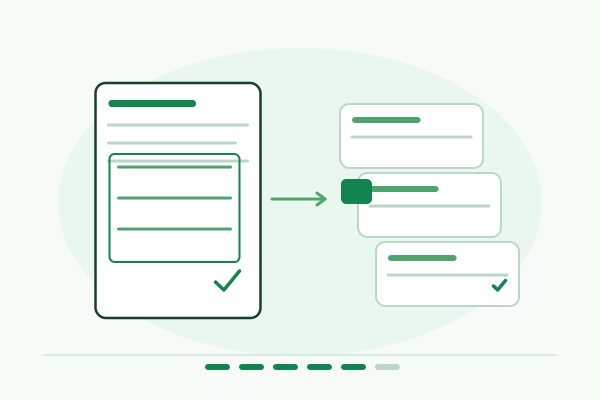
Integrations and migrations connect the platform to existing work. Treat them as controlled data projects with clear ownership, repeatable mapping and failure handling. Test with safe fixtures before moving approved data or activating live workflows.
Preparation
- Get documented system ownership, supported APIs and test credentials through approved secure channels.
- Inventory existing URLs, content, assets and data quality. Agree which material will move, be revised, be archived or be retired.
Tools and working materials
- Field mapping, redirect inventory and migration rehearsal
- API contracts, fixture data and delivery logs
- Drupal migration APIs and system-specific official documentation
1. Map integration fields and responsibilities
Why this matters: Names that look similar across systems can have different meanings, permissions and lifecycle rules.
Procedure
- Define every field, format, required value and ownership rule exchanged with CRM, booking, email, analytics or other scoped systems. Document the point at which the receiving system becomes authoritative.
- Agree authentication, timeout, retry, validation and error-reporting behavior with the system owner. Use supported connectors or APIs rather than undocumented interfaces.
Acceptance checks
- The mapping distinguishes required data from optional context.
- Each integration has a test owner and a failure response.
2. Design dependable inquiry delivery
Why this matters: A successful website confirmation should correspond to a known delivery state, rather than masking a failed CRM or notification request.
Procedure
- Test routing for each relevant service, location or department with captured notifications or sandbox destinations. Include rejection, duplicate submission and temporary outage cases.
- Use idempotent handling where repeat delivery is possible, appropriate queues when needed and an operational way to inspect failures. Preserve CSRF, ownership and access checks.
Acceptance checks
- A repeated request does not create unintended duplicate business actions.
- Failures are visible to the responsible staff without exposing private inquiry data.
3. Instrument customer outcomes carefully
Why this matters: Measurement should distinguish an actual customer action from a page load or a click that did not complete.
Procedure
- Define events for the approved journey, such as inquiry completion or an appropriate booking handoff. Coordinate consent behavior and avoid transmitting personal form values to analytics.
- Validate event names, parameters and duplicate suppression with test activity. Document what is observed on the website and what needs confirmation in the CRM or booking system.
Acceptance checks
- The event fires at the intended stage once per action.
- Reporting explains the boundary between website activity and confirmed business outcomes.
4. Audit existing content before migration
Why this matters: Moving inaccurate, duplicate or unowned content into a new platform preserves the same editorial problems in a different system.
Procedure
- Classify existing pages and assets as keep, revise, merge, archive or retire. Record the responsible owner and any legal or records-related retention requirement.
- Map content into the approved fields, taxonomies and languages. Check document rights, accessibility, alternative text and obsolete claims during review.
Acceptance checks
- Each migrated item has a destination or approved retirement decision.
- The migration inventory includes assets and metadata as well as body text.
5. Build and rehearse a repeatable migration
Why this matters: A repeatable process makes it easier to correct mappings and reconcile changes made during the project.
Procedure
- Use the appropriate maintained migration APIs and tools for the source platform. Rehearse in staging with stable source identifiers and clear update behavior.
- Compare counts and representative records, including relationships, formatting, media, authorship and publication state. Log exceptions for correction rather than silently discarding records.
Acceptance checks
- The rehearsal can be repeated without unintended duplicate content.
- The team can explain every missing or changed record in the reconciliation sample.
6. Prepare URL continuity and redirects
Why this matters: Search links, bookmarks and internal references need an accurate route to the relevant new content.
Procedure
- Create a mapping from existing public URLs to their approved destinations. Prefer a direct redirect to the corresponding content and avoid chains or redirecting every retired page to the homepage.
- Test important inbound URLs, internal links, canonical tags and sitemap entries. Keep restricted or intentionally retired content out of the public migration map.
Acceptance checks
- Representative old URLs reach their intended new content in one appropriate redirect.
- Internal links and canonical URLs use the final public paths.
7. Reconcile cutover data and dependencies
Why this matters: A long gap between rehearsal and launch can leave the new platform missing current content or depending on unfinished external work.
Procedure
- Agree a content freeze or final delta process with editors. Identify when forms, commerce, identity and integrations switch to their production destinations.
- Check DNS, certificates, environment configuration and secret availability as a coordinated cutover checklist. Keep a tested recovery path and the prior release available.
Acceptance checks
- The cutover includes the last approved content changes.
- Production destinations and dependencies have explicit activation checks.
8. Verify migration and integration acceptance
Why this matters: Technical connectivity does not prove that the migrated information supports normal customer or staff work.
Procedure
- Run representative journeys through the approved test systems, verify receiving records and inspect errors. Review migrated content with its owner, including key documents and local or translated variants.
- Record acceptance evidence and unresolved exceptions. Remove temporary access and test credentials according to the agreed handoff process.
Acceptance checks
- Content owners approve representative migrated records.
- The receiving system and website agree on the status of a tested action.
Advanced variations
- For CRM/MAP, data warehouse, identity or case-management integrations, resolve records ownership and permitted data movement before writing connectors.
- Drupal Migrate, Migrate Drupal and source-specific contributed tooling have different purposes and support paths. Select tooling for the actual source and current supported release, rather than assuming a legacy upgrade module is required.
- For payment or commerce scope, test webhook validation, idempotency and order ownership in an isolated environment. Presentation testing should never create real purchases or contact real customers.
Troubleshooting
- The CRM shows duplicate leads after an outage.
Likely cause: Retries create new records without a stable identity or idempotency rule.
Action: Use the agreed deduplication key and delivery identifier, reconcile existing duplicates under the CRM owner's process and test replay handling before reactivating the workflow.
- Migrated pages have broken media or relationships.
Likely cause: Assets and referenced entities were not included in the dependency mapping.
Action: Correct the reference and asset mappings, rerun the rehearsal and compare representative source-to-destination relationships before cutover.
Chapter 6
Testing, launch and ongoing maintenance
Launch is a controlled operational change, followed by evidence gathering and continued care. Use a release checklist that covers customer journeys, staff workflows, privacy, access, recovery and public metadata. The handoff should make normal maintenance predictable for the organization.

Preparation
- Complete acceptance testing, migration reconciliation and the recovery rehearsal.
- Confirm reviewers, launch window, staff coverage, incident contacts and the current maintenance agreement.
Tools and working materials
- Release checklist and signed acceptance evidence
- Origin/public checks, monitoring and error logs
- Editor handbook, operational runbooks and improvement backlog
1. Run the complete acceptance matrix
Why this matters: Checking only the homepage misses the pages and roles most likely to carry integration or publishing risk.
Procedure
- Test important templates and customer journeys on mobile, tablet and desktop, using anonymous and relevant role accounts. Include forms, authentication, files, navigation, search and scoped commerce or booking paths.
- Combine automated checks with manual accessibility and workflow testing. Confirm that fixes did not change unrelated pages or break reattachment of custom behavior.
Acceptance checks
- The acceptance record identifies route, role, viewport, result and remaining issue.
- Launch-critical failures have been resolved or explicitly accepted by the accountable owner.
2. Verify public search and sharing output
Why this matters: Search and social systems consume the public response, which may differ from an administrative preview or origin cache.
Procedure
- Inspect titles, descriptions, canonical tags, social images, structured data, robots rules, sitemap links and redirects for representative templates. Confirm the canonical public host and indexability of approved content.
- Compare current origin and public output when proxy or CDN caches are present. Test social-image URLs for correct dimensions, MIME type and anonymous access.
Acceptance checks
- Metadata describes the visible page and the final public URL.
- Public output matches the intended release after cache invalidation.
3. Confirm recovery and operational readiness
Why this matters: The team needs a practical response to a failed release, unavailable integration or unexpected outage.
Procedure
- Retain the matching pre-release database, file and code/configuration backups under the approved recovery process. Confirm the rollback steps and which content changes a code rollback cannot undo.
- Check monitoring, certificate status, alert destinations and escalation contacts. Agree the decision point at which the release will be rolled back or corrected.
Acceptance checks
- The release owner can identify the recovery artifacts without searching public storage.
- A tested alert and rollback decision process are in place.
4. Execute the controlled cutover
Why this matters: A sequenced cutover reduces ambiguity when DNS, content and external systems change at the same time.
Procedure
- Follow the approved release order for code, scoped configuration, migrated content, files and integration activation. Record changes and commands in the deployment log.
- Validate the public customer journey after the switch, including the receiving system in a safe test mode. Keep staff available for the agreed observation window.
Acceptance checks
- The release log identifies the deployed revision and applied data/configuration changes.
- Public navigation, critical actions and operational monitoring function after cutover.
5. Train each operating role
Why this matters: Training should prepare people for the work they own, not give every user a tour of all administrative features.
Procedure
- Train authors on normal updates, approvers on review and revision decisions, and technical staff on deployment, monitoring and recovery. Use representative real tasks with safe training content.
- Provide the editor handbook, recordings where included, ownership matrix and escalation route. Confirm that permissions match the trained responsibilities.
Acceptance checks
- Each role can complete its representative task.
- Training materials and operational contacts are accessible to the responsible staff.
6. Review the post-launch evidence
Why this matters: Initial feedback often exposes content gaps or process issues that were difficult to see before the site handled normal work.
Procedure
- Review form errors, inquiry routing, uptime, accessibility findings, performance and editor questions during the contracted support window. Separate defects from new requirements.
- Compare the approved customer and editor metrics to their baseline with the same measurement limits. Document what changed and what still needs more observation.
Acceptance checks
- The support log distinguishes resolved defects, accepted issues and new backlog items.
- Outcome reporting explains sampling and attribution limits.
7. Operate the maintenance cadence
Why this matters: An unmaintained platform accumulates security, content and reliability problems regardless of the quality of its original build.
Procedure
- Schedule dependency updates, backup checks, restore drills, access reviews and monitoring review. Test relevant updates in staging before production deployment.
- Assign content reviews and integration checks, including changes to external APIs or organizational service information. Larger programs should preserve change and controls evidence for their governance process.
Acceptance checks
- Recurring care tasks have owners, frequency and evidence.
- A missed update or failed backup check produces a visible follow-up action.
8. Maintain the improvement roadmap
Why this matters: Continuous improvement works best when it follows observed problems and an explicit decision process.
Procedure
- Review the prioritized backlog against customer outcomes, content velocity, operational risk and platform constraints. Evaluate new features with the same ownership and acceptance rules used for the initial project.
- For enterprise or government programs, connect the backlog to steering reviews, performance or service-level commitments and longer-term architecture plans. Retain a simple route for staff to report recurring problems.
Acceptance checks
- Each planned improvement has a reason, owner and success check.
- The roadmap reflects current evidence and operational capacity.
Advanced variations
- A production release can change files, database content, active configuration and host infrastructure independently. Record what actually changed and keep recovery coverage for each surface.
- Monitoring options, support windows and response commitments vary by audience and package. Confirm the current proposal instead of assuming every project includes round-the-clock operations.
- When a business changes service lines or regions, update shared content and relationships first, then reassess navigation, measurement and integration routing.
Troubleshooting
- A release was rolled back but the content is still wrong.
Likely cause: Only code changed back; database content or active configuration was not restored.
Action: Identify the affected data or configuration apply, preview its scoped recovery procedure and verify the resulting public page and alias behavior.
- Post-launch requests overwhelm the team.
Likely cause: Defects, training questions and new scope are being handled as one unprioritized queue.
Action: Classify requests, resolve launch defects through the support agreement and prioritize new work through the documented product backlog.
Choose the right package scope
Cyberlytics packages combine discovery, Drupal engineering, performance, security, integrations and training at different levels of complexity. Match the operating requirements to the audience and tier, then confirm the exact page, integration, support and infrastructure scope in the current package and proposal. Use the checklists for the work that is actually included or separately approved.
Organization sizes
- Individual
- Prioritize a clear service and inquiry journey, manageable core pages and a small number of integrations. Confirm the publishing walkthrough and ongoing CMS-care responsibilities.
- SMB
- Plan growing service portfolios, locations, reusable components and CRM-connected inquiry paths. Include multi-role training and the agreed post-launch care window.
- Enterprise
- Address cross-team governance, identity and system integrations, engineering collaboration, release controls and business-critical reliability. Establish a named technical lead and program reporting where included.
- Government
- Start with public-service tasks, accessibility, document and content governance, permitted integrations and controls evidence. Define approval roles, recovery and service-level requirements with agency IT.
Package tiers
- Basic
- A focused discovery and platform baseline for core content, the primary inquiry path, essential integrations and editor enablement. Keep scope clear enough to deliver and operate reliably.
- Standard
- A richer reusable platform, expanded content and integration needs, staging, performance work and role-aware training. Confirm the audience-specific limits and handoff.
- Full
- A broader platform or program with advanced content and workflow, scoped commerce or APIs, stronger infrastructure and governance, migration support and an ongoing improvement partnership as contracted.
Illustrative example: a growing professional-services firm
A firm has three service lines and several locations. Its existing pages repeat service descriptions, editors need developer help for changes, and inquiries arrive without a clear owner. This is a planning example, not a report of a Cyberlytics client result.
Decisions and implementation
- Model services once, reference them from location pages and retain only genuinely local details on each location.
- Give authors draft permissions and use an approved review/publish transition. Provide reusable FAQ and CTA components.
- Route inquiry type and location into the CRM with a backup owner, captured test notifications and documented replay handling.
- Rehearse content migration, map old URLs and verify mobile inquiry completion, restricted documents and public cache invalidation.
Evaluation
- Measure editor task completion and time for a normal service update.
- Verify that a test inquiry reaches one expected CRM record and the intended owner.
- Compare the same representative mobile journey before and after launch, documenting traffic, consent and measurement limits.
- Use a restore drill and alert-routing check as operational acceptance evidence.
Handoff
- Approved scope, decision log and acceptance record.
- Content model, role matrix, editorial handbook and training materials.
- Integration field mappings, ownership, error-handling and credential-rotation responsibilities.
- Migration reconciliation, redirect map and final release record.
- Monitoring contacts, backup/restore and incident runbooks.
- Known risks, recurring-care schedule and prioritized improvement backlog.
Maintenance and review
- Review supported Drupal/PHP and extension releases, then test and deploy relevant updates.
- Verify backups and perform periodic isolated restore drills with documented timing.
- Review privileged access, credentials, form delivery and external integration changes.
- Check important customer journeys, accessibility, performance and public search/social output.
- Assign recurring content reviews and retain change records appropriate to the organization.
Glossary
- Content model
- The entities, fields and relationships used to store reusable information.
- Information architecture
- The organization of pages, navigation and content relationships around user tasks.
- Acceptance criteria
- Observable conditions that the accountable reviewer uses to approve a deliverable.
- Cache context
- The request conditions, such as language or user permissions, that Drupal uses to vary cached output.
- Cache tag
- A dependency label Drupal uses to invalidate cached output when its source changes.
- Migration rehearsal
- A repeatable test of moving and reconciling content before production cutover.
- Recovery point and recovery time
- The amount of data loss and restoration time an organization is prepared to accept.